01
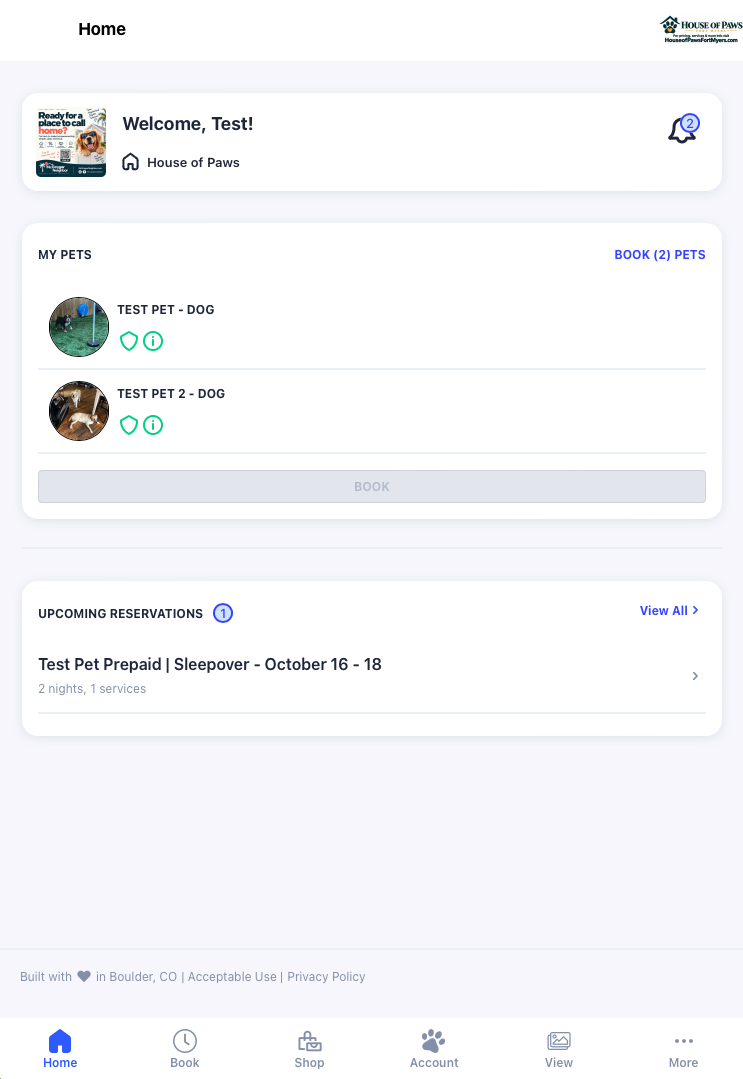
Log in and open Home.
Log in to the Pet Parent Portal. On the Home page, tap the notification bell near the top right.
House of Paws payments
Pay your House of Paws invoice or reservation deposit with Zelle or Venmo. Already know the amount? Choose your payment method below.
Not sure how much you owe? Follow the Gingr guide below ↓
1. Find what you owe
Log in, open Home, and tap the bell. It gives you a shortcut to unpaid invoices and reservation deposits. The amounts in these screenshots are examples—use the amounts shown in your own account.
01
Log in to the Pet Parent Portal. On the Home page, tap the notification bell near the top right.
02
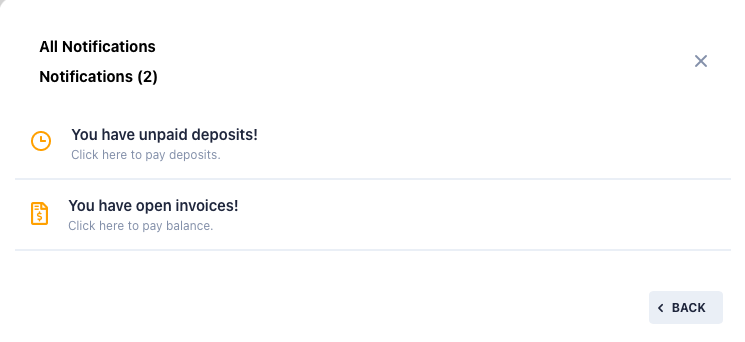
Select You have open invoices! If you have only one open, unpaid invoice, Gingr takes you straight to it. If you have multiple, you'll see a list of them.
03
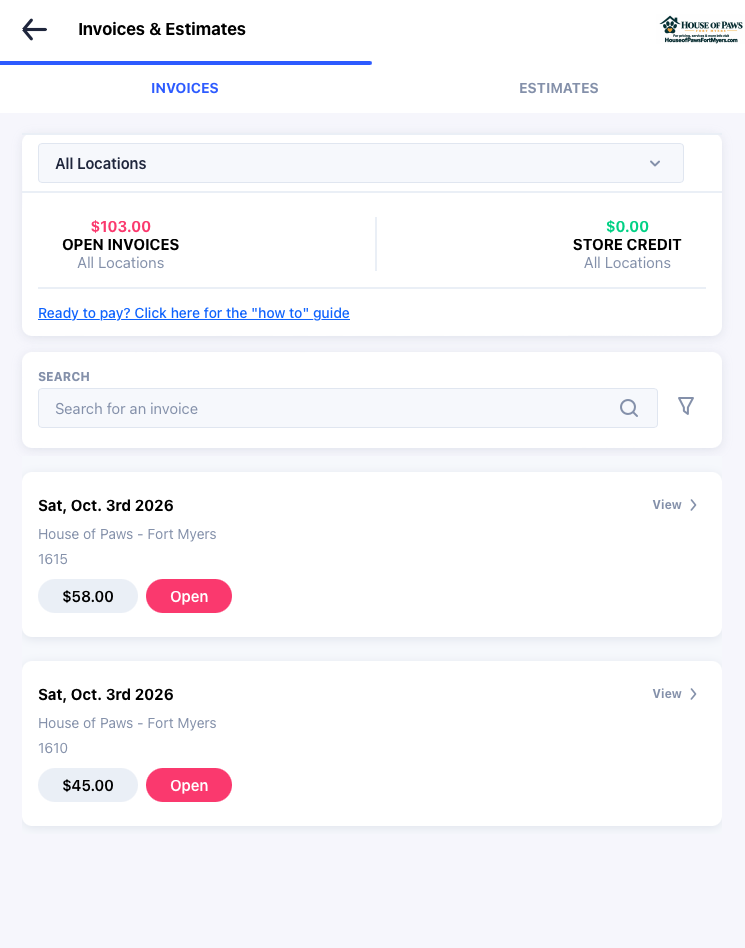
When you have multiple unpaid invoices, the Open Invoices amount at the top shows the total owed across them. Select an individual invoice to see its details.
04
Inside an invoice, Account Balance shows the total owed across your account. Remaining Due shows what is still owed on this particular invoice.
You can pay the individual invoice's remaining balance or your full account balance. Do not add these two amounts together—the invoice is already included in the account balance.
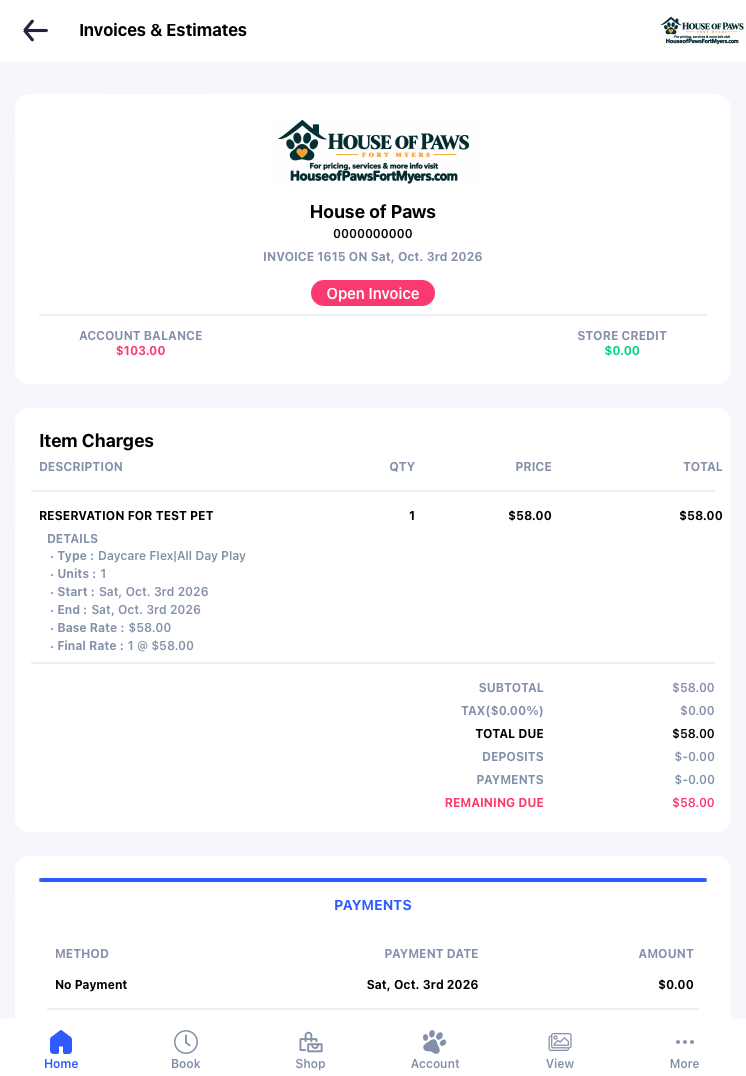
Use the same notification bell, then choose the unpaid-deposit notice.
01
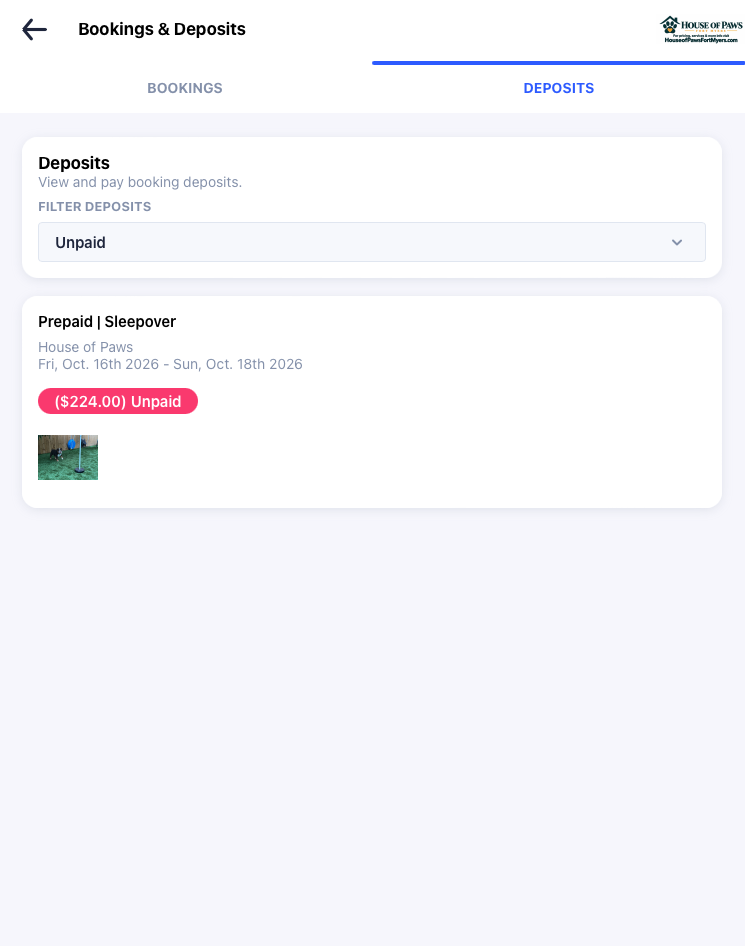
From Home → Notification Bell, select You have unpaid deposits! This opens the deposit information for your upcoming reservations.
02
On the Deposits tab, look for your reservation and the pink Unpaid amount. That is the deposit amount to send using Zelle or Venmo below.
Include your name, your pet's name, and the reservation dates in your payment note so we can apply it to the right stay.
2. Send payment
Include your name and your pet's name in the payment note whenever possible. We'll apply it to your House of Paws account.
Zelle
houseofpaws2520@gmail.com
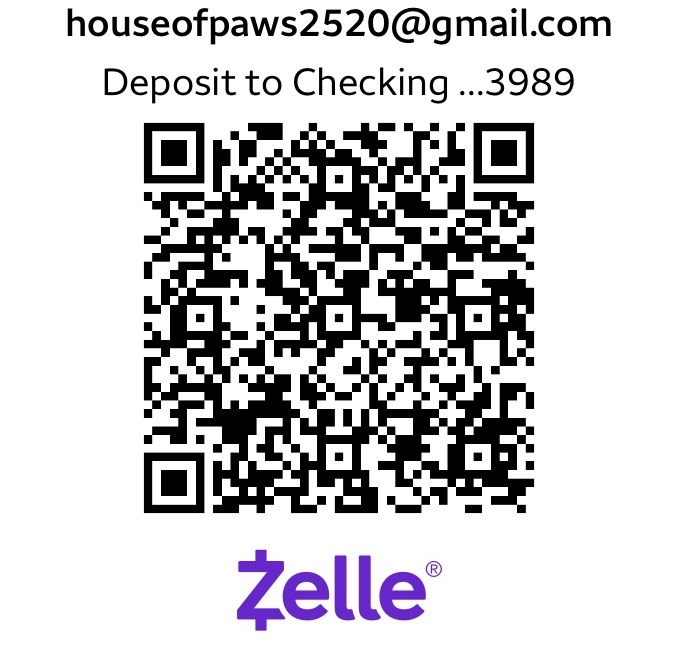 Open Zelle QR code ↗
Scan this code using your banking app, or add the email above as a recipient.
Venmo
@HOP2520
Open Venmo ↗ Open Venmo QR code ↗
Still not sure?
If something in Gingr looks off, a payment has already been sent, or you have a question about an estimate, just reach out. We'll figure it out together.
Get in touch